Vyakti, the personal CRM

Your business already works. This is what gets easier.

You remember your clients, your follow-ups and who owes you money. Most days. Vyakti is for the days you do not. Here is each part of the app, the everyday problem it solves, and an example.

Today Contacts Companies Stay in touch Notes Tasks Appointments Enquiries Projects Receivables Messages Journal QR card Make it yours Backup and privacy Plans

First, the word "CRM"

A CRM is a notebook that reminds you

CRM stands for "customer relationship management". It sounds like something for big companies with sales teams. For one person, it is much simpler: a place to keep what you know about the people your work depends on, which also tells you when to act.

Today that knowledge lives in your head, your phone contacts, WhatsApp chats, a diary and perhaps a spreadsheet. That works until you are busy. Then a follow-up slips, a birthday passes, a quote is never chased, or you forget that someone still owes you for last month.

None of these is a disaster on its own. Together they are the difference between a client who feels looked after and one who quietly goes elsewhere. Vyakti does not change how you work. It keeps the small things from slipping.

Today

Open the app and know what the day needs

One screen that gathers everything due today from every other part of the app.

Without itYou start the day by checking your calendar, scrolling WhatsApp, and trying to recall what you promised whom. Something is usually missed.
  • Today's appointments, and tasks that are due
  • Birthdays and anniversaries coming up
  • People you have not spoken to in a while
  • Enquiries that have gone quiet, and money still to come in
  • A morning notification at the time you choose
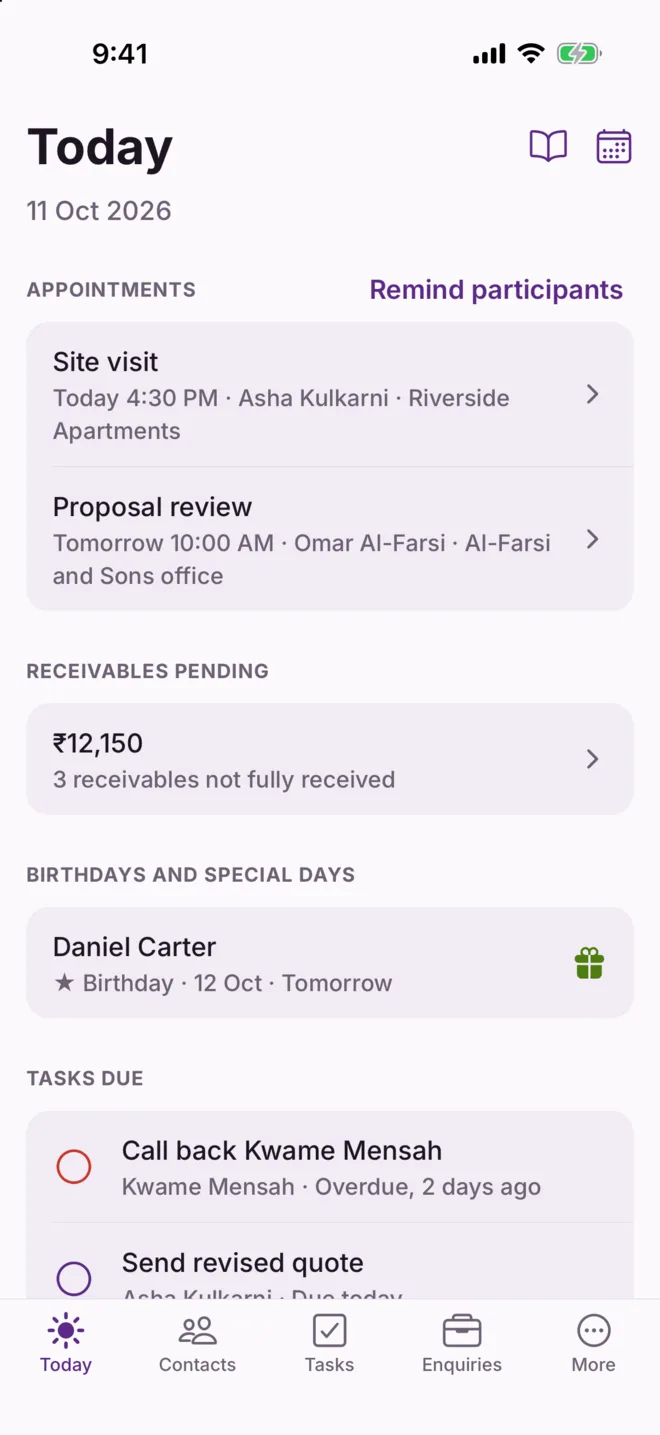
For exampleAt 9 AM your phone says: site visit at 4:30, Daniel's birthday tomorrow, the Al-Farsi quote is due, and you have not spoken to Sofia in four months. Ten minutes later, all four are handled.
In every plan
The Today screen: appointments, receivables pending, a birthday tomorrow and tasks due

Contacts

More than a name and a number

Each person gets a page that holds what you would want to remember before you call them.

Without itYour phone knows "Asha Kulkarni, mobile". It does not know her husband's name, that she prefers WhatsApp, or what you discussed last time.
  • Family names, birthdays, anniversaries and other special days
  • Which number is on WhatsApp; call or message in one tap
  • Groups such as client, vendor or your networking chapter
  • Your own extra fields, for anything particular to your trade
  • Bring in only the phone contacts you choose; changes stay in step with your phone
  • Find people by city, company or group, or list everyone with no email
  • A history of changes, so you can see when someone moved company or role
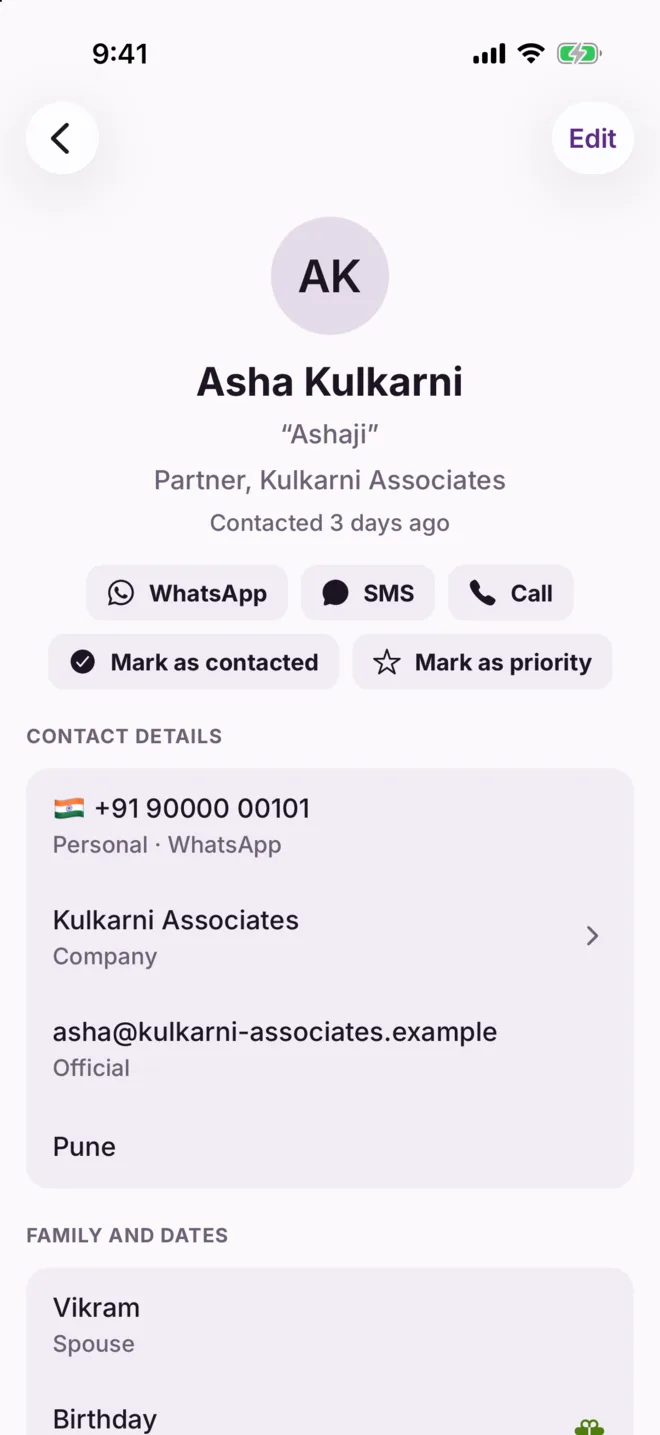
For exampleBefore calling Asha you glance at her page: husband Vikram, anniversary on 2 December, last note "wants the revised quote by Friday". You sound like someone who remembers, because now you do.
In every plan
A contact page with phone, email, family names, birthday and anniversary

Companies

See a whole client, not one person at a time

When several of your contacts work at the same place, Vyakti gathers them on one page for that company.

Without itYou deal with three people at one firm. Their notes, tasks and enquiries are scattered across three contact pages, and anything about the firm itself has nowhere to live.
  • One page per company, with everyone you know there
  • Their enquiries, tasks and notes together
  • Tasks and notes that belong to the company itself
  • Made for you when you type a company on a contact
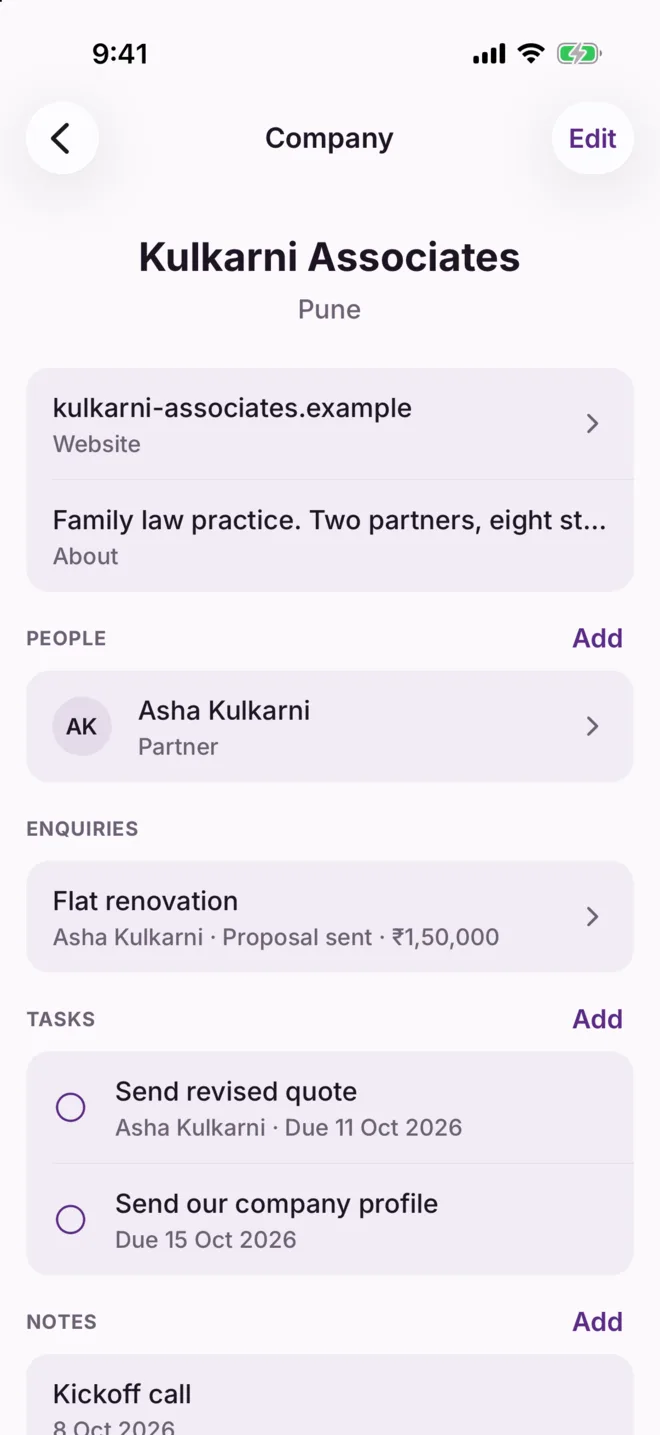
For exampleBefore a meeting at Kulkarni Associates you open the company page: two contacts, one open enquiry, and a note that they move office next year. You walk in knowing the whole picture.
In every plan
A company page with its people, enquiries, tasks and notes

Stay in touch

Nobody drifts away because you were busy

Vyakti keeps count of how long it has been since you spoke to each person, and tells you when it has been too long.

Without itOld clients and good referrers go quiet. You only notice when you hear they gave the work to someone else.
  • Every contact shows when you last spoke
  • You decide what "too long" means; 90 days to begin with
  • Those people appear on Today, with a ready catch-up message
  • One tap marks someone as contacted today
  • Star your most important people: Vyakti reminds you about them sooner
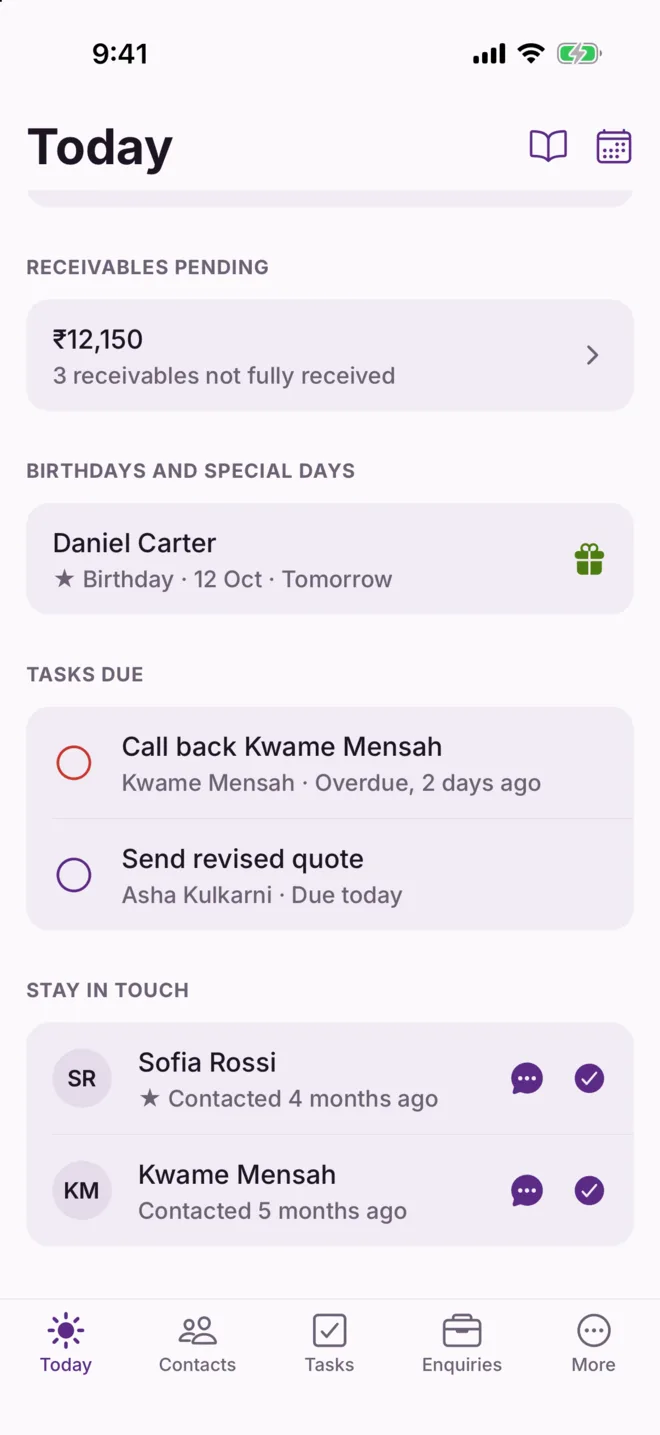
For exampleSofia gave you two referrals last year. Vyakti shows it has been four months. You send a short "how have you been?" on WhatsApp, and she mentions a friend who needs your help.
In every plan
Today, showing two people not contacted for months under Stay in touch

Notes

What was said, where you can find it again

A short record of each call, meeting or message, kept on the person it concerns.

Without it"What did we agree in June?" You scroll through WhatsApp, check a diary, and end up asking the client, which does not look good.
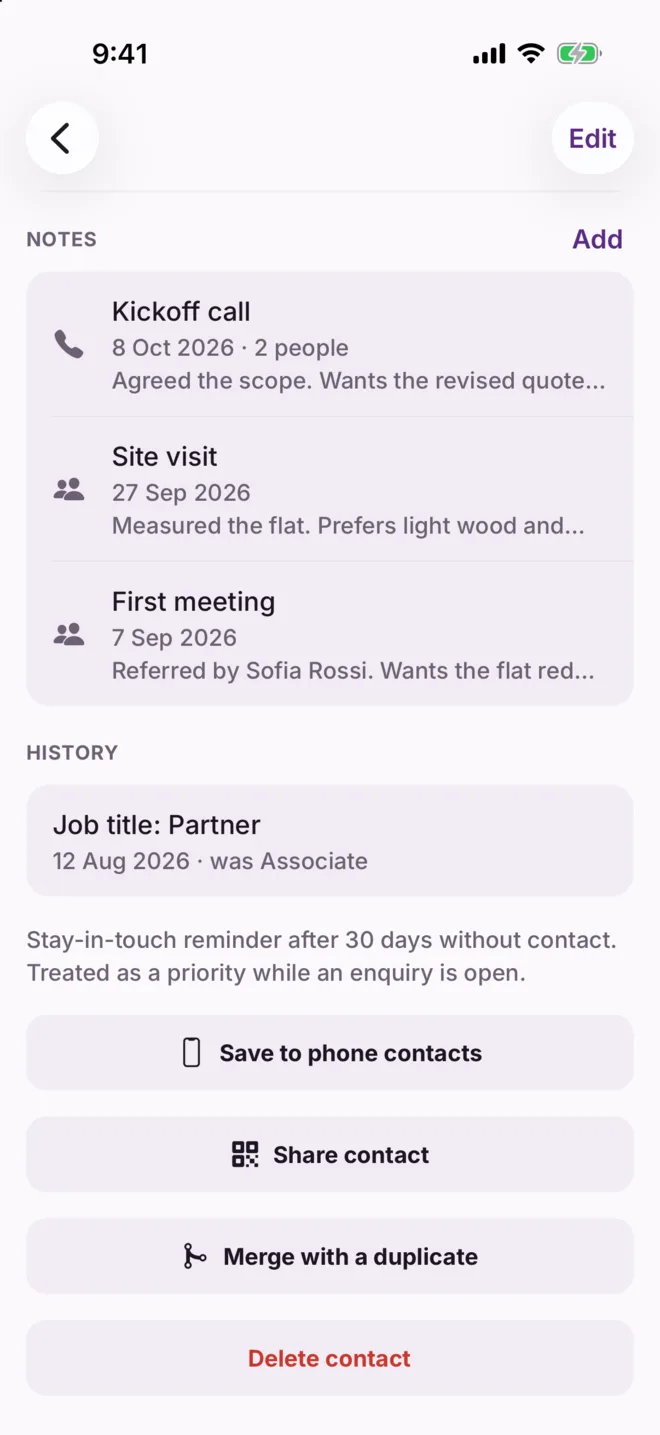
  • Write it once after a meeting; it appears on everyone who was there
  • Attach it to an enquiry, so the whole story of that work is together
  • Each contact's page shows their history, newest first
For exampleAfter a call with Asha, her partner and their accountant, you write three lines. Six weeks later the accountant rings. You open his page and the note is there.
In every plan
Notes on a contact: a kickoff call, a site visit and a first meeting

Tasks and reminders

"I'll send it tomorrow" actually happens

A to-do list where every item can belong to a person and remind you at a time you set.

Without itYou make a promise on a call, mean to do it, and remember three days later when the client follows up with you.
  • Add a task in seconds, with a due date
  • Do it yourself, or give it to a contact and send it to them
  • A notification arrives when you asked for it, even with no internet
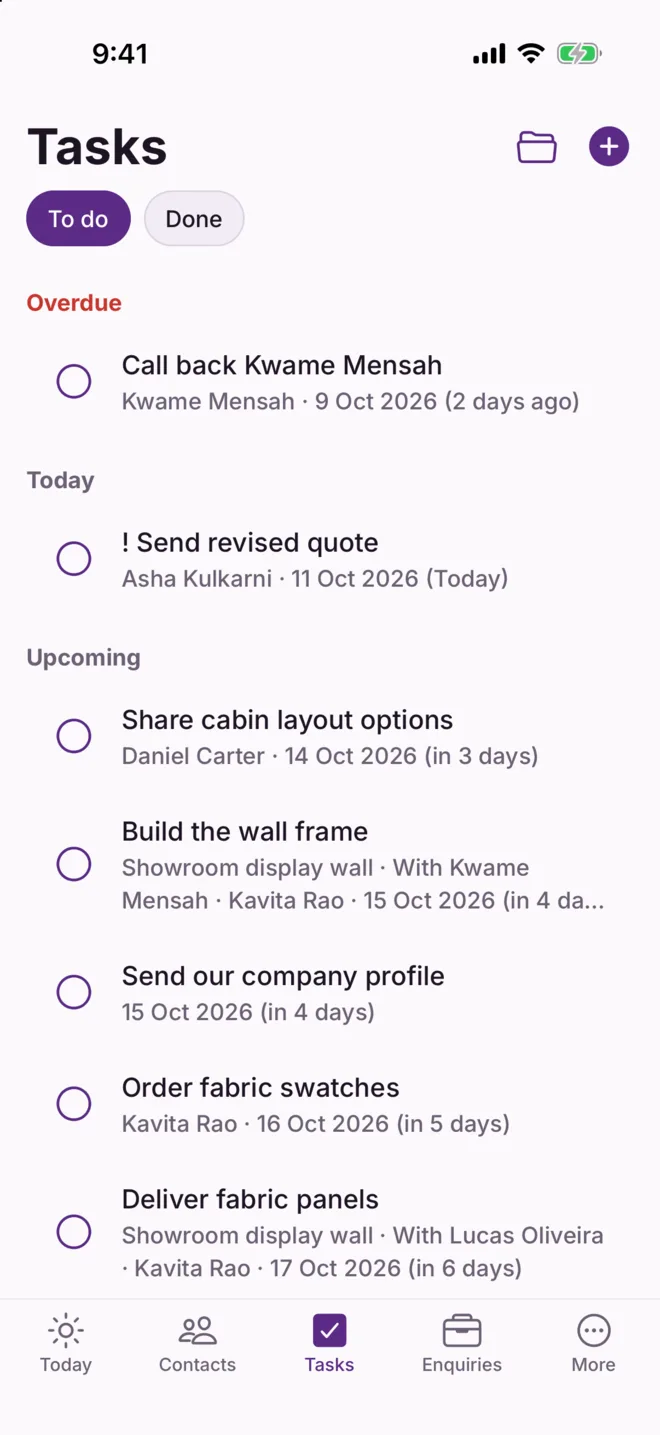
  • Due and overdue tasks show on Today until they are done
For exampleOn the call you promise Omar a quote by Friday. You add the task before putting the phone down. On Thursday at 6 PM your phone reminds you.
In every plan
The Tasks screen with overdue, today and upcoming tasks

Appointments

Fewer missed meetings, on both sides

Your meetings, tied to the people you are meeting, with a reminder for you and a ready message for them.

Without itThe meeting is in your calendar, but the client forgets. You travel across town and wait, or lose the slot.
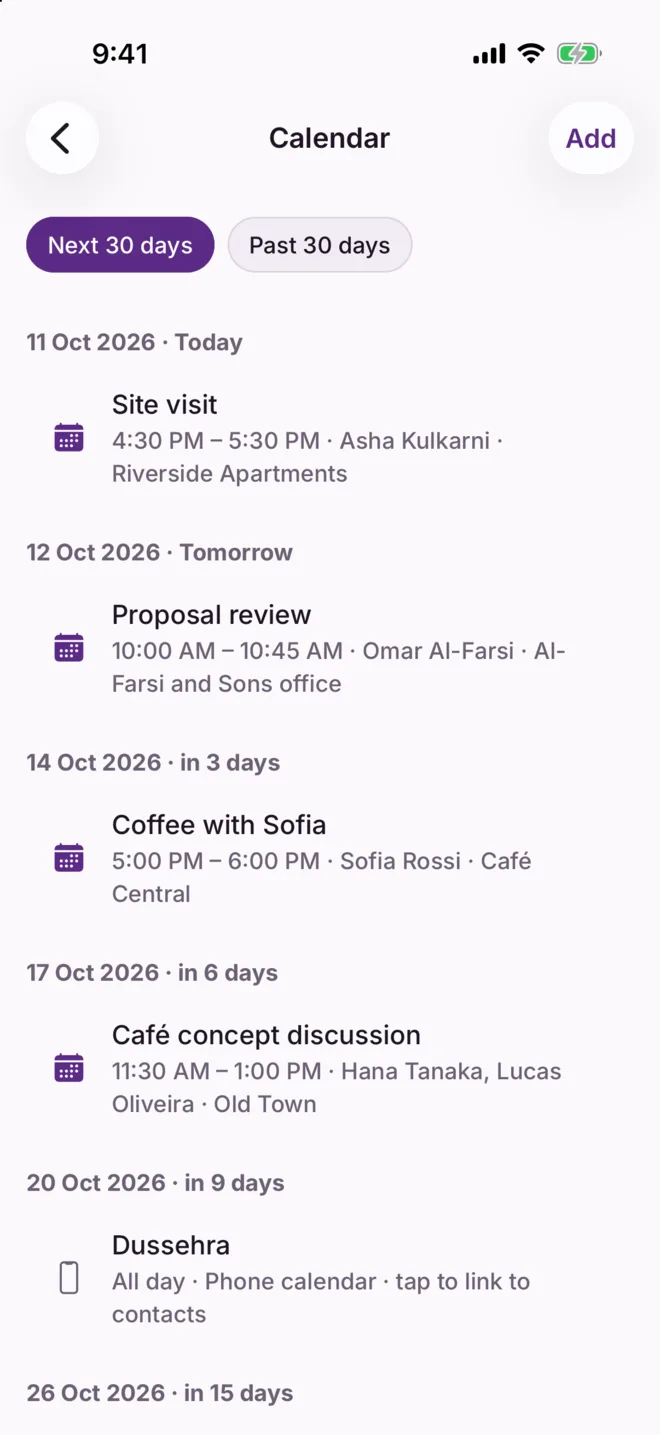
  • Add a meeting with who, when and where
  • See it next to your phone's own calendar, so nothing clashes
  • A reminder reaches you an hour before
  • "Remind participants" opens WhatsApp with a polite reminder already written
  • Directions to the place in one tap
For exampleThe evening before a site visit, you tap "Remind participants". Asha gets a message from you: "A gentle reminder of our meeting tomorrow at 4:30 PM." She replies to confirm.
The Calendar screen listing upcoming appointments with people and places

Enquiries

Know what work is coming, and what has stalled

An enquiry is anyone asking about your work: a job, a policy, an order. Vyakti keeps a list of them and where each one stands, until it is won or lost.

Without itYou have five quotes out. You could not say their total value, which are close, or which one you last chased three weeks ago.
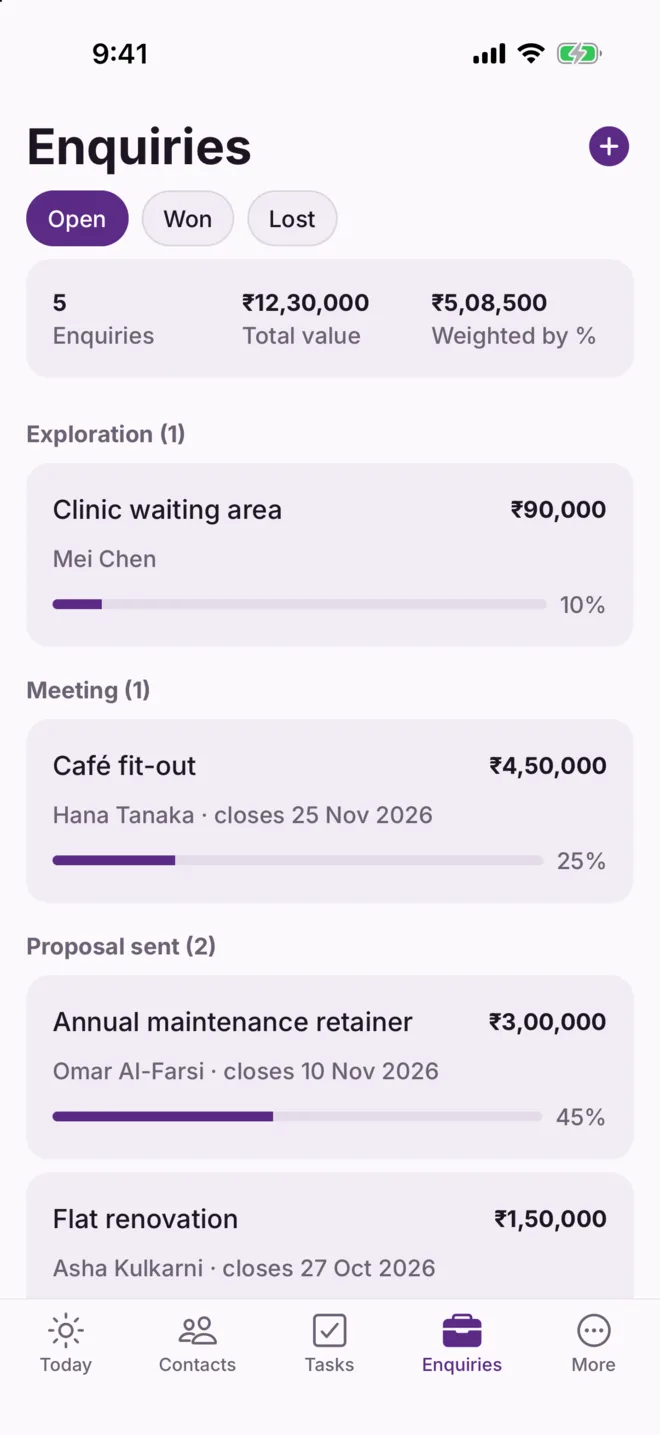
  • Each enquiry has a value, a stage and an expected date
  • Stages use your own words: first talk, quote sent, agreed, won
  • See the total on the table, and a realistic figure weighted by how likely each is
  • Enquiries with no activity for two weeks appear on Today
  • When one is lost, note why, and learn from the pattern
For exampleVyakti shows the Al-Farsi retainer has had no note for 16 days. You call. He had been waiting for you to follow up. It closes that week.
In every plan
The Enquiries screen: open enquiries with their value and stage

Projects

One job, many tasks, several people

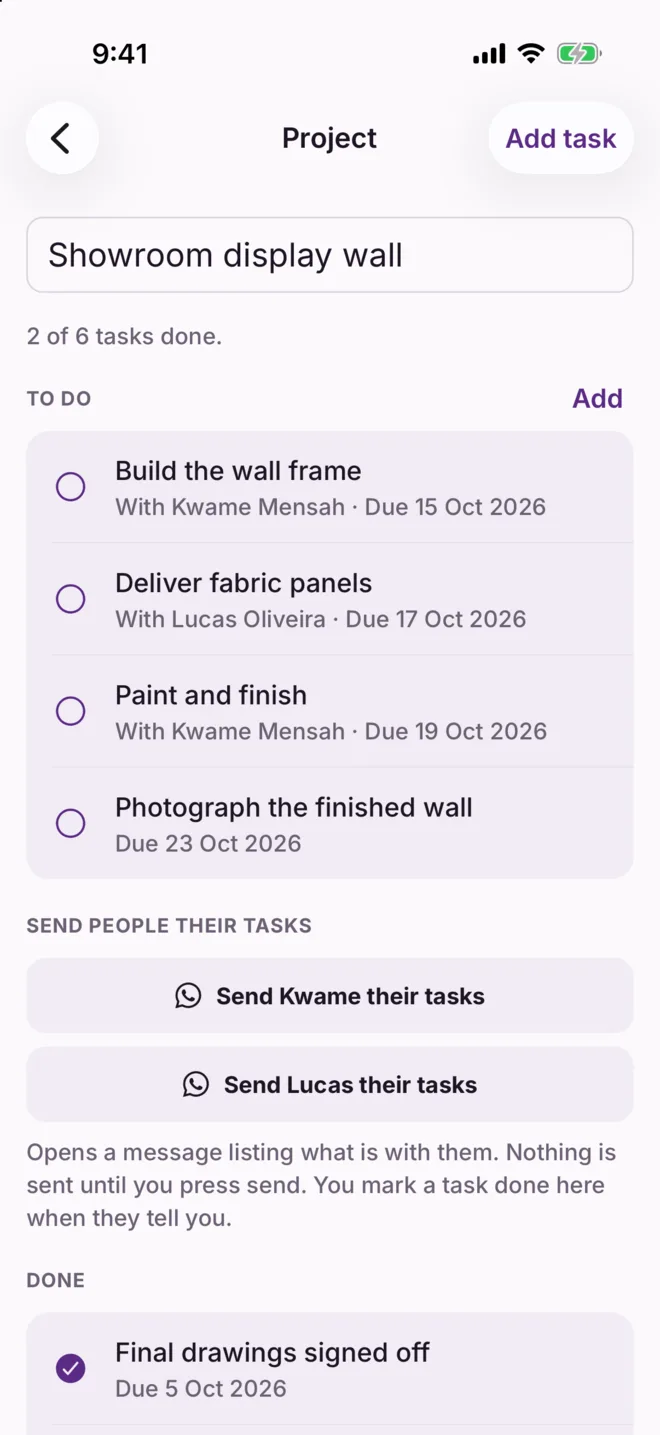
A project is a group of tasks that belong together: a client's job, an event, a move. See what is left, and who is doing what.

Without itA job has a dozen small tasks. Some are yours, some you gave to the carpenter and the electrician, and they are spread across chats and your memory.
  • Put any task in a project, or name a new project as you add the task
  • See how many tasks are done and what is left
  • Give a task to one of your contacts
  • Send each person the list of what is with them, on WhatsApp or SMS
  • Mark the project finished when the work is done; it stays to look back on
For exampleThe villa renovation has eight tasks. Three are with Kwame, your contractor. You tap "Send Kwame their tasks" and he gets the list with dates. When he says the tiles are in, you tick it off.
In every plan
A project page: tasks to do, who each is with, and a button to send people their tasks

Receivables

Always know who still owes you

"Receivables" is money you are owed. Vyakti keeps a simple record of each amount and what has come in against it.

Without itSomeone paid half in cash and said the rest would follow. A month later neither of you is sure how much is left, and asking feels awkward.
  • Note who owes what, for which work, and from when
  • Record part payments as they arrive, by UPI, cash or bank
  • See the total pending, and who has paid in full, in part or not at all
  • Send a courteous payment reminder with the amount filled in
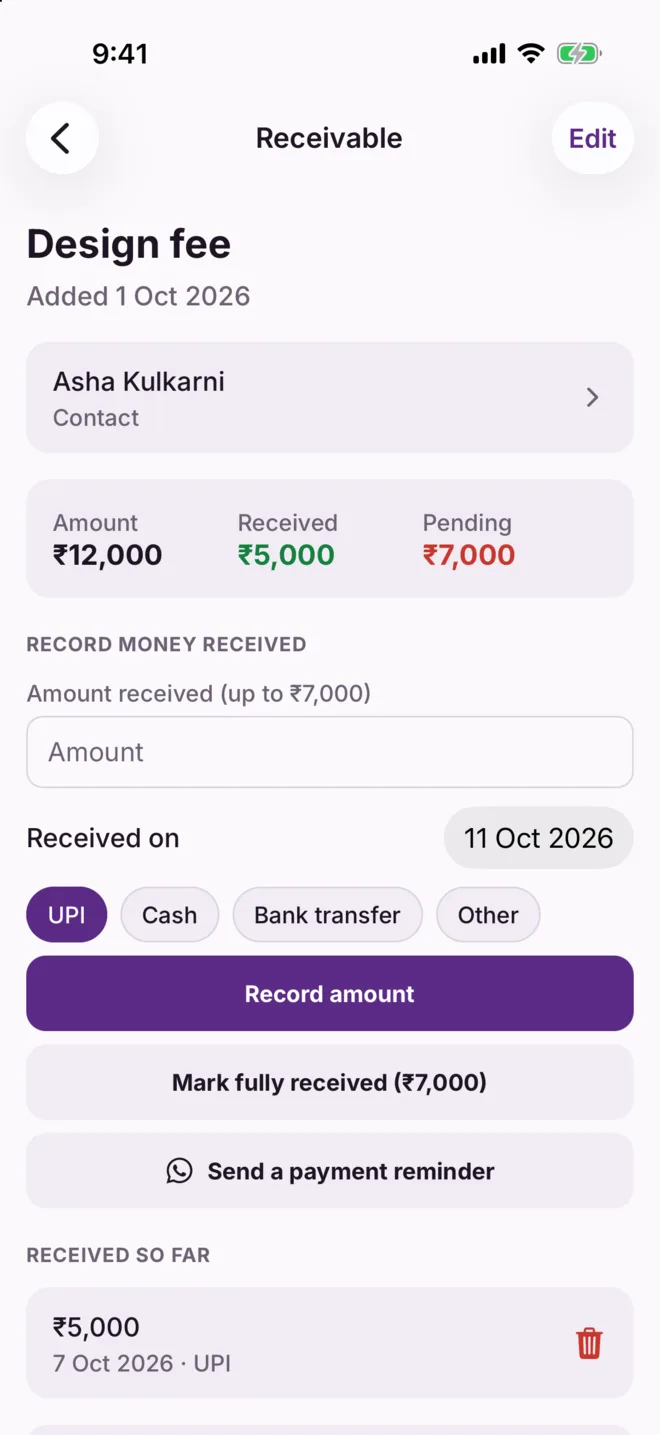
For exampleAsha's design fee was ₹12,000. She paid ₹5,000 by UPI. Vyakti shows ₹7,000 pending, and your reminder says exactly that, so there is nothing to argue about.
A receivable of 12,000 rupees with 5,000 received and 7,000 pending

Messages

The right words, ready when you need them

Vyakti writes the message from your own templates and opens WhatsApp or SMS. You read it and press send.

Without itYou type the same birthday wish, meeting reminder and payment nudge again and again, or you skip them because there is no time.
  • Templates for wishes, meeting reminders, payment reminders and catch-ups
  • The person's name, the date and the amount are filled in for you
  • Change the wording to sound like you, once, and reuse it
  • Nothing is ever sent on its own; every message goes from your number, by your hand
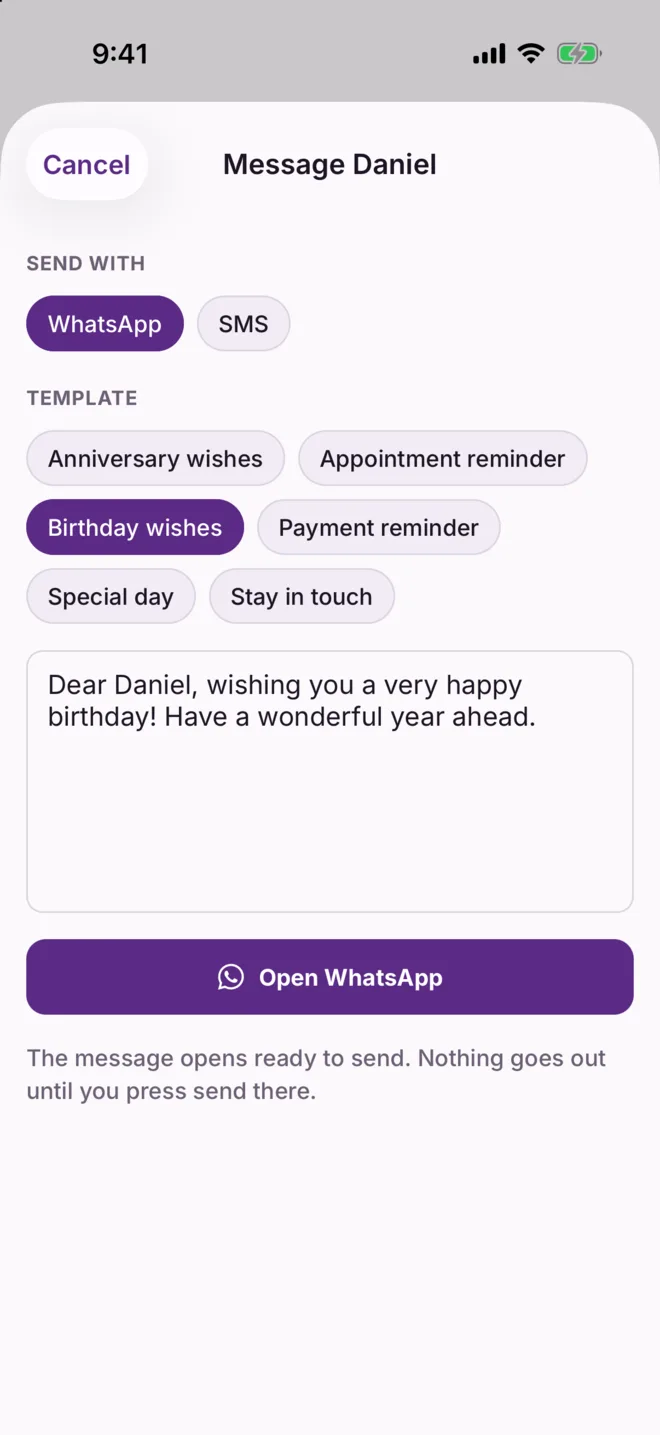
For exampleThree clients have birthdays this week. Each takes two taps: "Send wishes", then send. All three reply, and one asks when you are free to talk about new work.
In every plan
A birthday message prepared for WhatsApp

Journal

A few lines a day, for you

A private space to note how the day went and how you felt about it.

Without itWhen you work alone, months blur together. It is hard to see what is going well, or to remember the good weeks during a slow one.
  • Write two or three lines and pick a mood
  • Link an entry to a person or an enquiry if it is about them
  • Look back over a week, a month or a year
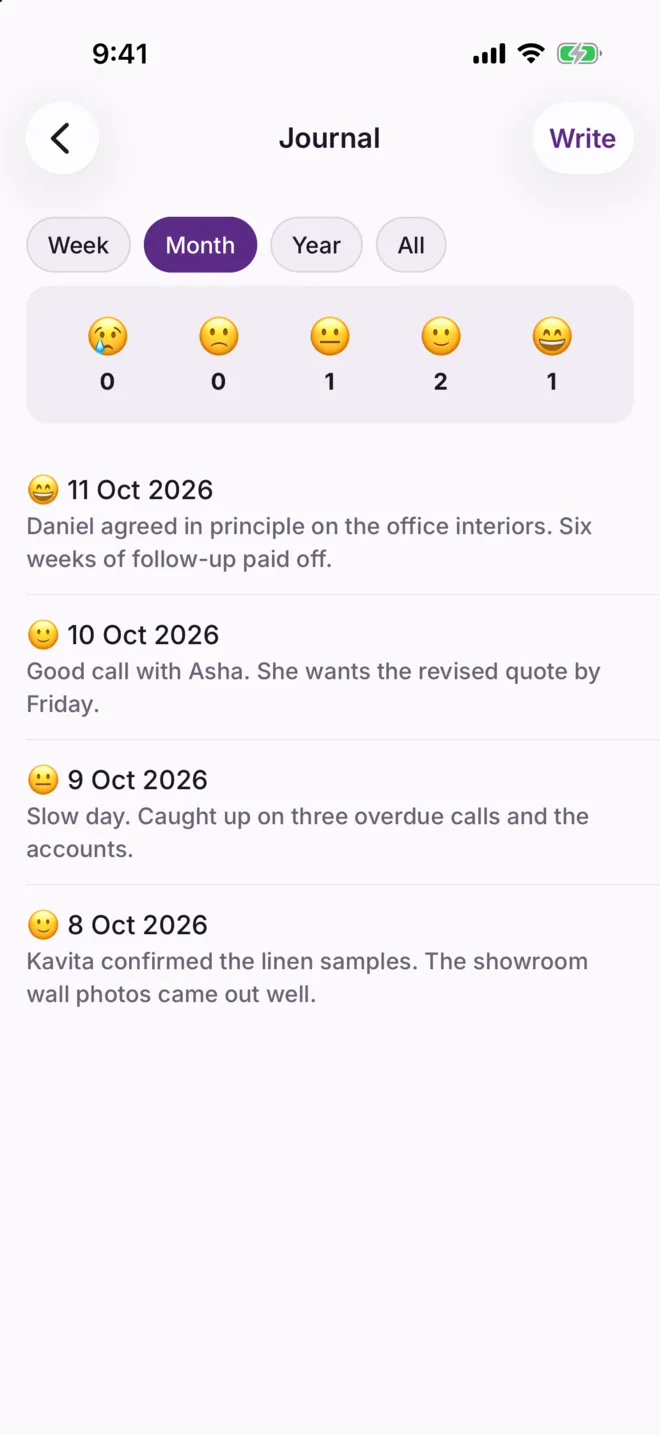
For exampleAt the end of the quarter you read back and notice every good day followed a client meeting, and the low ones were all paperwork. You plan the next quarter differently.
In every plan
The Journal screen with moods and four recent entries

QR visiting card

Exchange details without typing a number

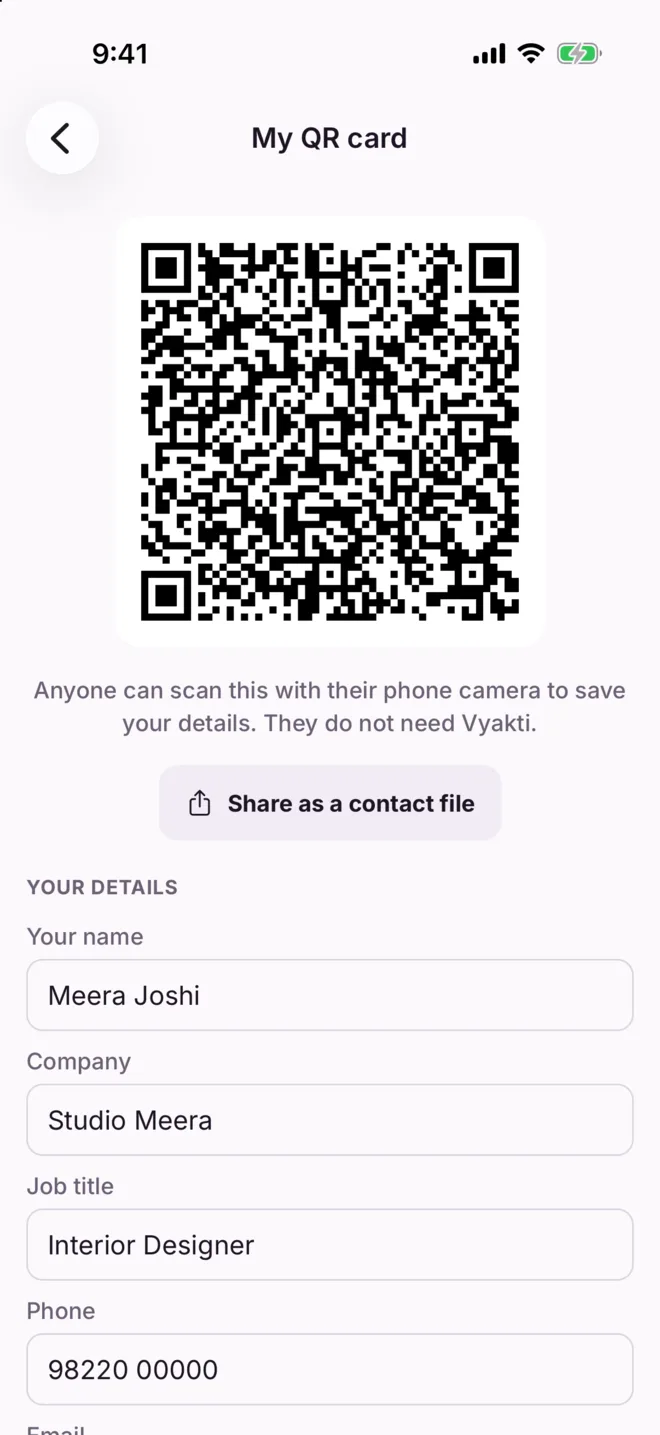
Your contact details as a code on your screen. The other person points their camera at it and saves you.

Without itYou run out of cards, or read your number aloud in a noisy room, and it gets saved with a digit wrong.
  • Shows your name, company, phone and email as a QR code
  • Works with any phone camera; they do not need Vyakti
  • Scan someone else's code to add them to your contacts
For exampleAt a networking breakfast you meet six people. Each scans your code in a few seconds. You scan theirs, and all six are in Vyakti before the coffee is finished.
In every plan
My QR card with name, company and phone

Make it yours

Use only the parts you need

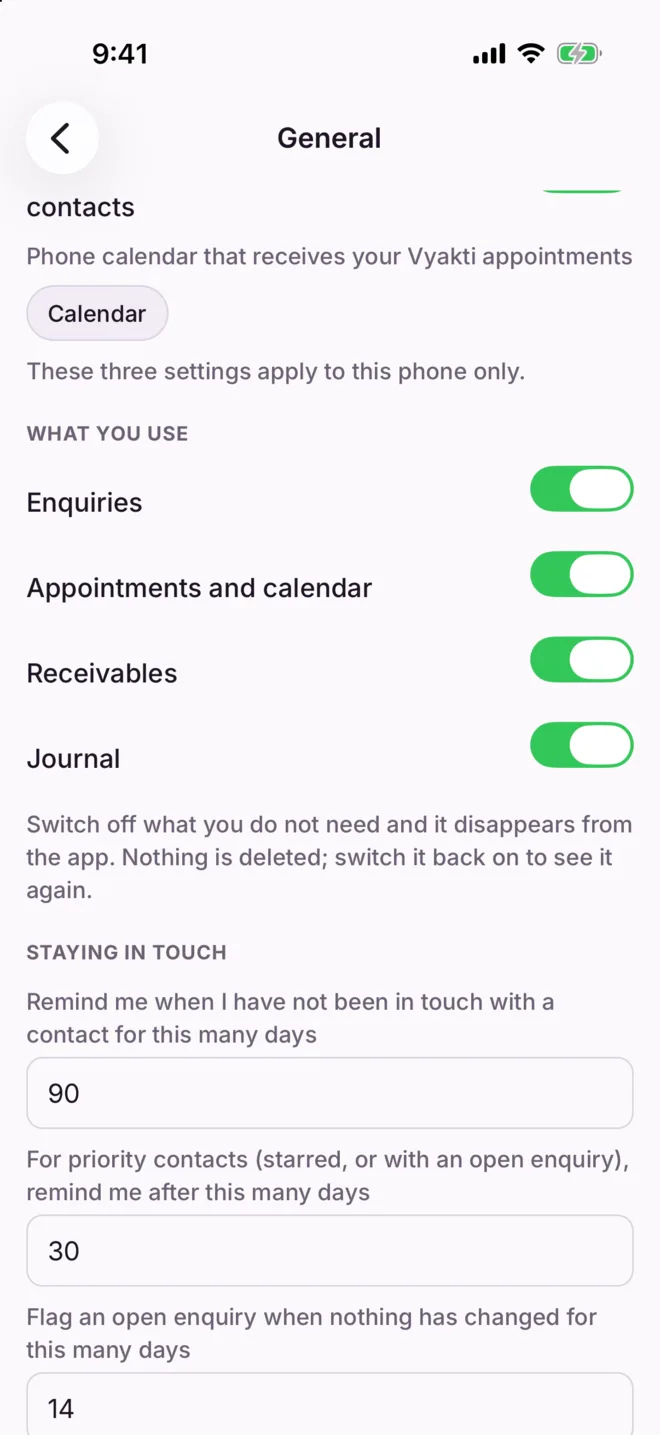
Switch off anything you do not track, and it disappears from the app.

Without itNew software shows you everything at once. Half of it is not for you, and it gets in the way of the half that is.
  • Switches for Enquiries, Appointments, Receivables and Journal
  • Nothing is deleted; switch a part back on and it returns
  • Light or dark, and three text sizes
  • Your own country and currency
For exampleYou are a tutor with no enquiries to chase. You switch them off and Vyakti becomes contacts, appointments, receivables and reminders, nothing more.
In every plan
Settings with a switch for each part of the app

Backup and privacy

Your client list stays with you

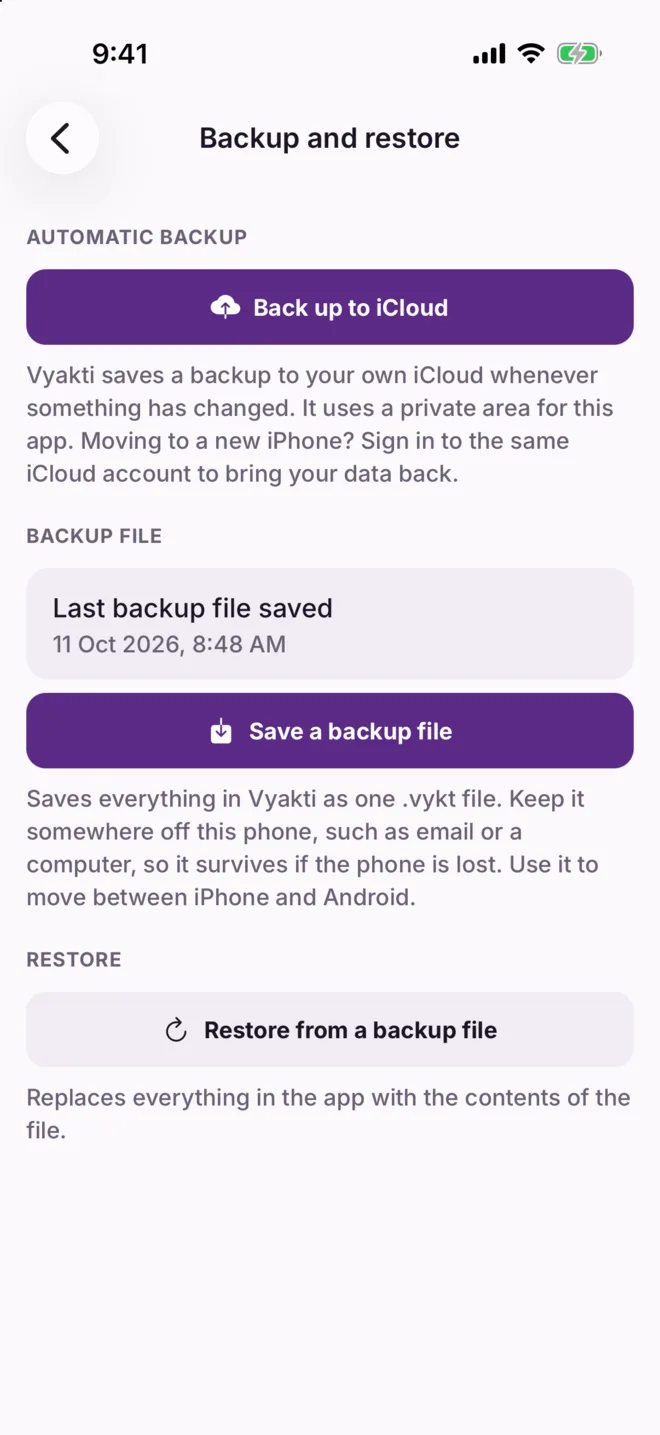
Everything is kept on your phone and backed up to your own cloud account. We never hold it.

Without itYour client list is the most valuable thing your business owns. In most apps it sits on someone else's computers, and a lost phone means a lost list.
  • Works with no internet; nothing waits for a signal
  • Backs up by itself to your own Google Drive or iCloud
  • Tells you straight away if a backup did not work
  • New phone? Sign in to the same cloud account and your data returns
  • Lock the app with your fingerprint or face
  • Export contacts, enquiries and notes as a spreadsheet file whenever you like
For exampleYour phone is stolen on a train. On the new one you install Vyakti, choose your Google account, and every contact, note and pending amount is back within a minute.
In every plan
The Backup and restore screen

Plans

Three ways to pay, everything included

Every plan starts with one month free. Everything is included, and we ask for no payment details until you choose a plan.

 Monthly
₹99 a month
Yearly
₹990 a year
Lifetime
₹9,990 once
Every feature on this page
ContactsNo limitNo limitNo limit
How you payEach monthOnce a year, two months freeOne payment
RenewsMonthly, until you cancelYearly, until you cancelNever

If you stop paying, your data stays on your phone: you can still see it, export it and back it up.

Selling products rather than your time? Vyakti Business is a separate app for sales, stock and invoices.

See it with your own clients in it

Explanations only go so far. The first month is free, so you can find out with your real work whether it helps.

Request early access